Not an auth provider
It never sees passwords or sessions. Your provider identifies the user; UNIORA decides what that user can do in an organization.


Authentication+Authorization+Organizations
UNIORA is a flexible, secure and scalable layer for managing access and permissions in your apps. Keep your auth provider for login and get organizations, teams, roles and feature flags in your own database.
Works with
UNIORA lets you use the identity provider you prefer (Google, GitHub, Clerk, Auth0…) and manage authorization on its own, with fully customizable rules, roles and permissions.
See architecture UNIORA
(Authorization)
UNIORA
(Authorization)
It never sees passwords or sessions. Your provider identifies the user; UNIORA decides what that user can do in an organization.
No central service holds your data. Everything lives in a dedicated uniora.* schema in your PostgreSQL, or in SQLite.
Switch from Supabase to Clerk, or run Auth0 alongside it, without rewriting authorization. Identity links keep a user's organizations and roles when they change provider.
Manage multiple organizations from a single system.
Manage users and their access in one central place.
Define granular roles without the complexity.
Control exactly what each user can see and do.
Organize, assign and manage your structure.
Customizable access rules and conditions.
Typed API, webhooks and compatibility with your stack.
Grow without limits, from startups to large enterprises.
UNIORA adapts to your needs, whatever the size of your team or the complexity of your project.
Get startedLaunch your idea with a solid, scalable access system.
Manage users, teams and permissions efficiently and securely.
Give your customers custom, robust access control.
Simplify identity and permission management in complex environments.
UNIORA replaces hand-written multi-tenancy, roles, invitations, feature flags and audit trails with one tested core.
Authentication is replaceable. Authorization models your business: organizations, responsibilities, capabilities and quotas. It should outlast any vendor.
One system. Endless possibilities.
A miniature of the engine, running in your browser. Choose who asks, where and what for, then try to break it: suspend the organization, block the member or request an unregistered permission. The trace shows which check decided.
Simulation with the same check order and reason codes as @uniora/core. Owners pass every registered permission; no one passes an unregistered one.
Manage organizations, members, roles, permissions, features, invitations and the audit log. It runs on your machine and sends no data anywhere. These are real screenshots of Studio on a demo database.
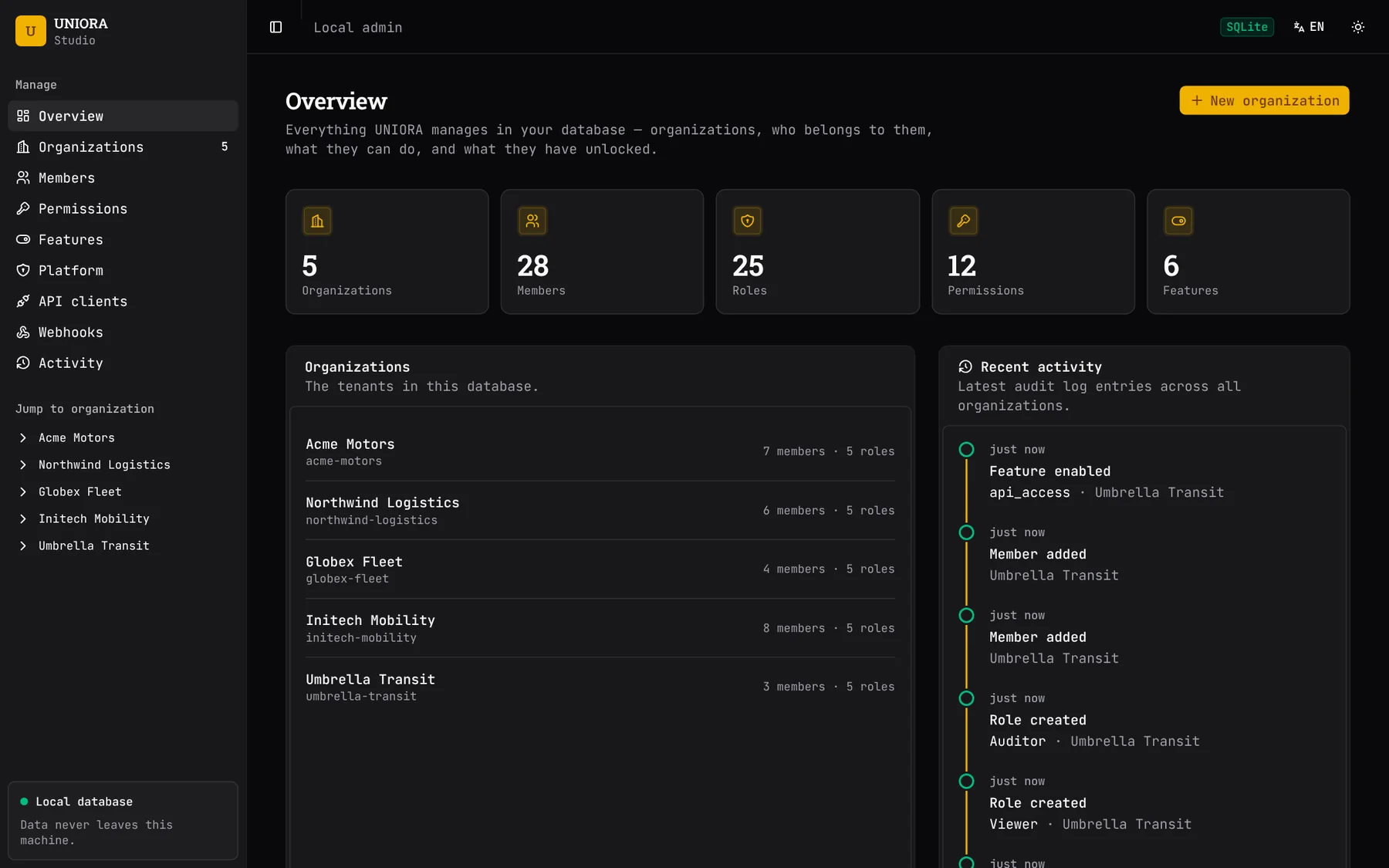
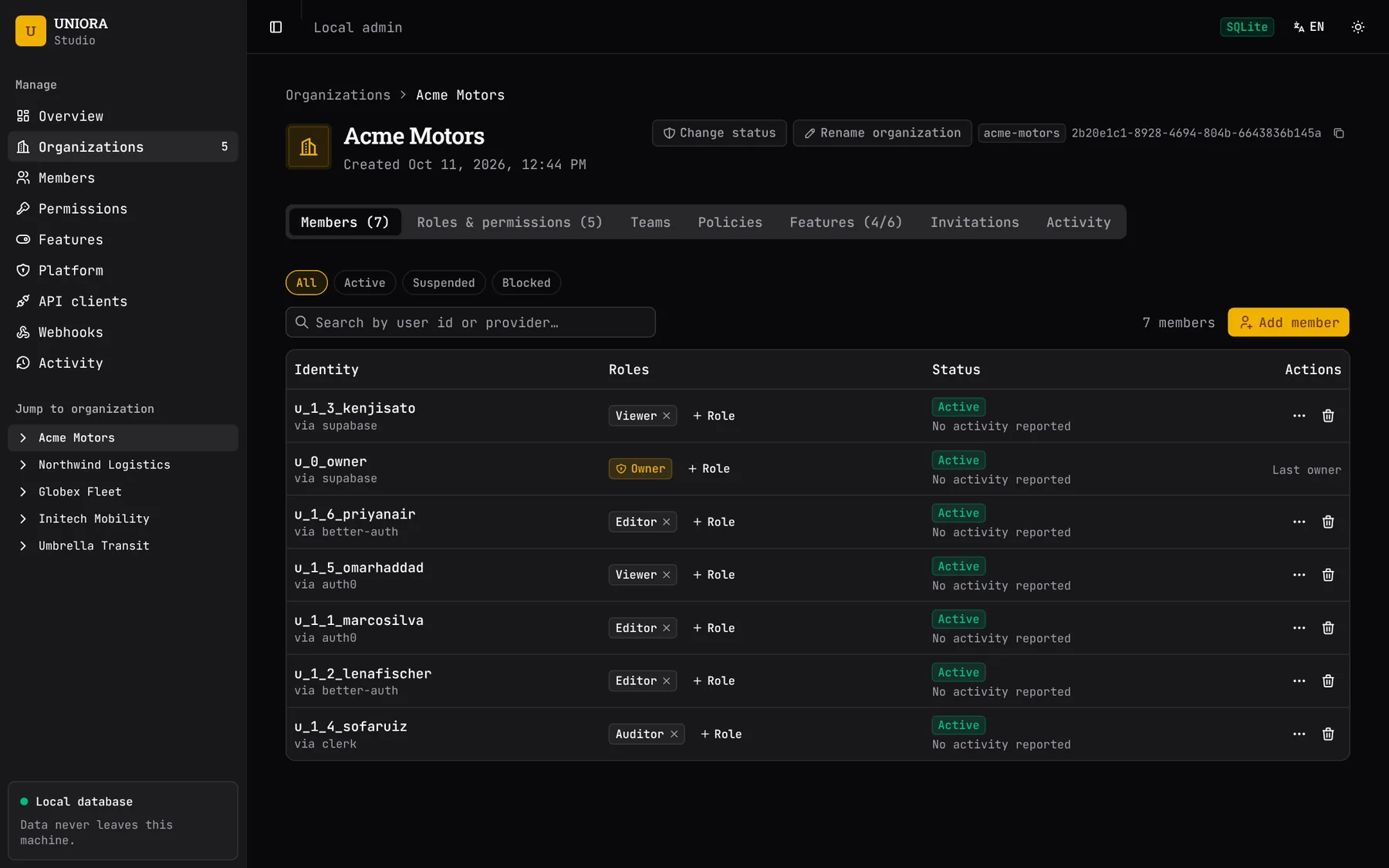
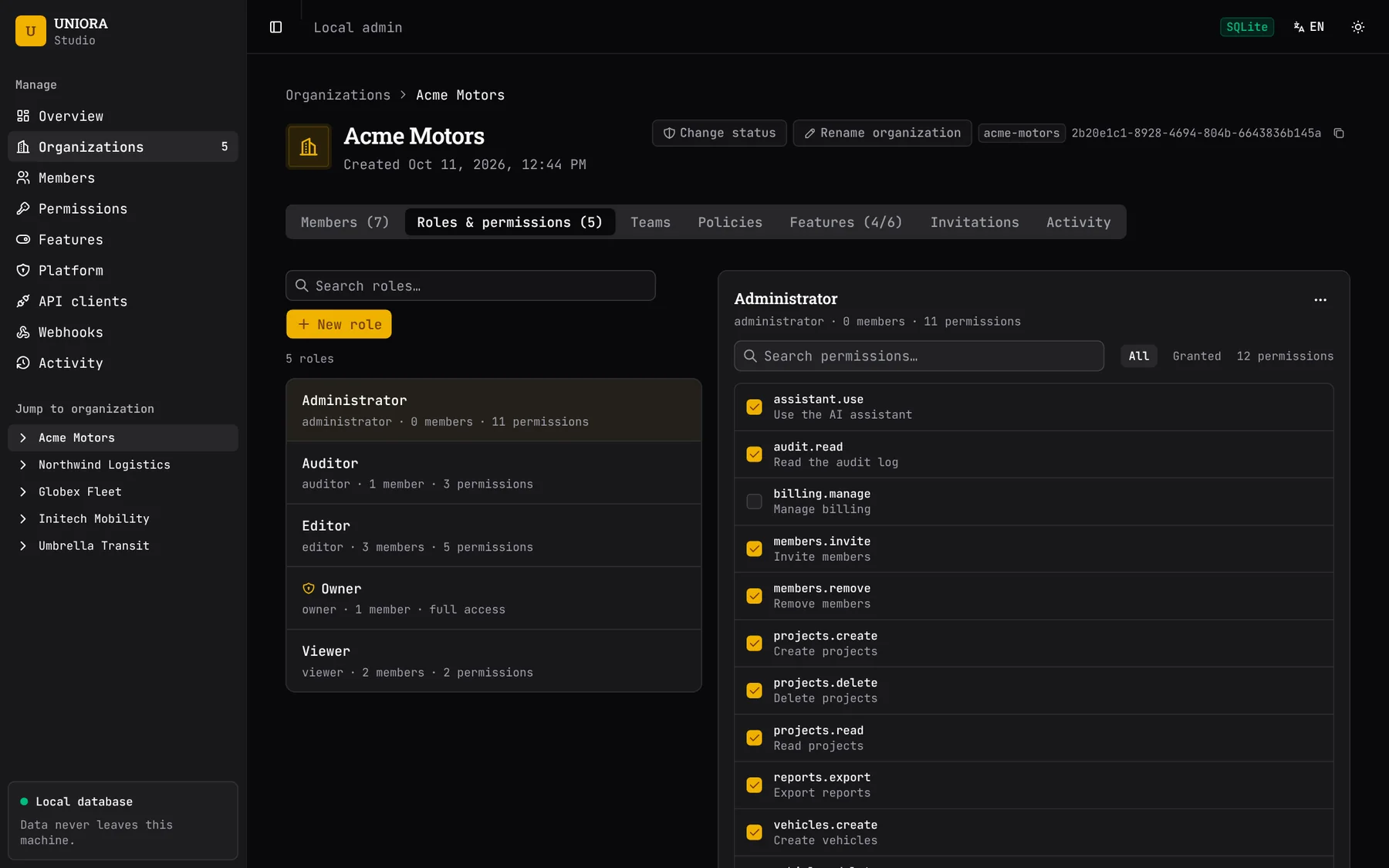
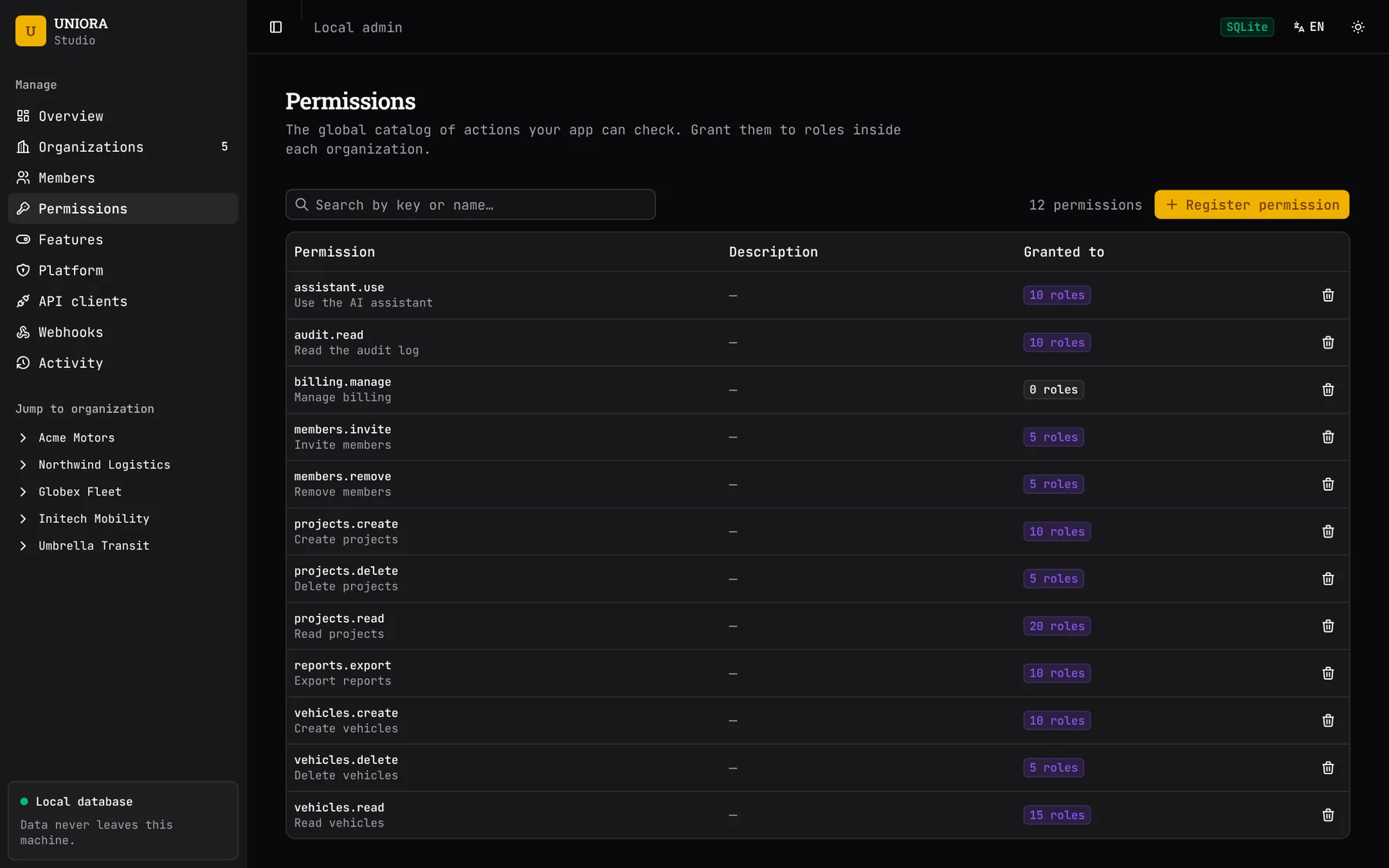
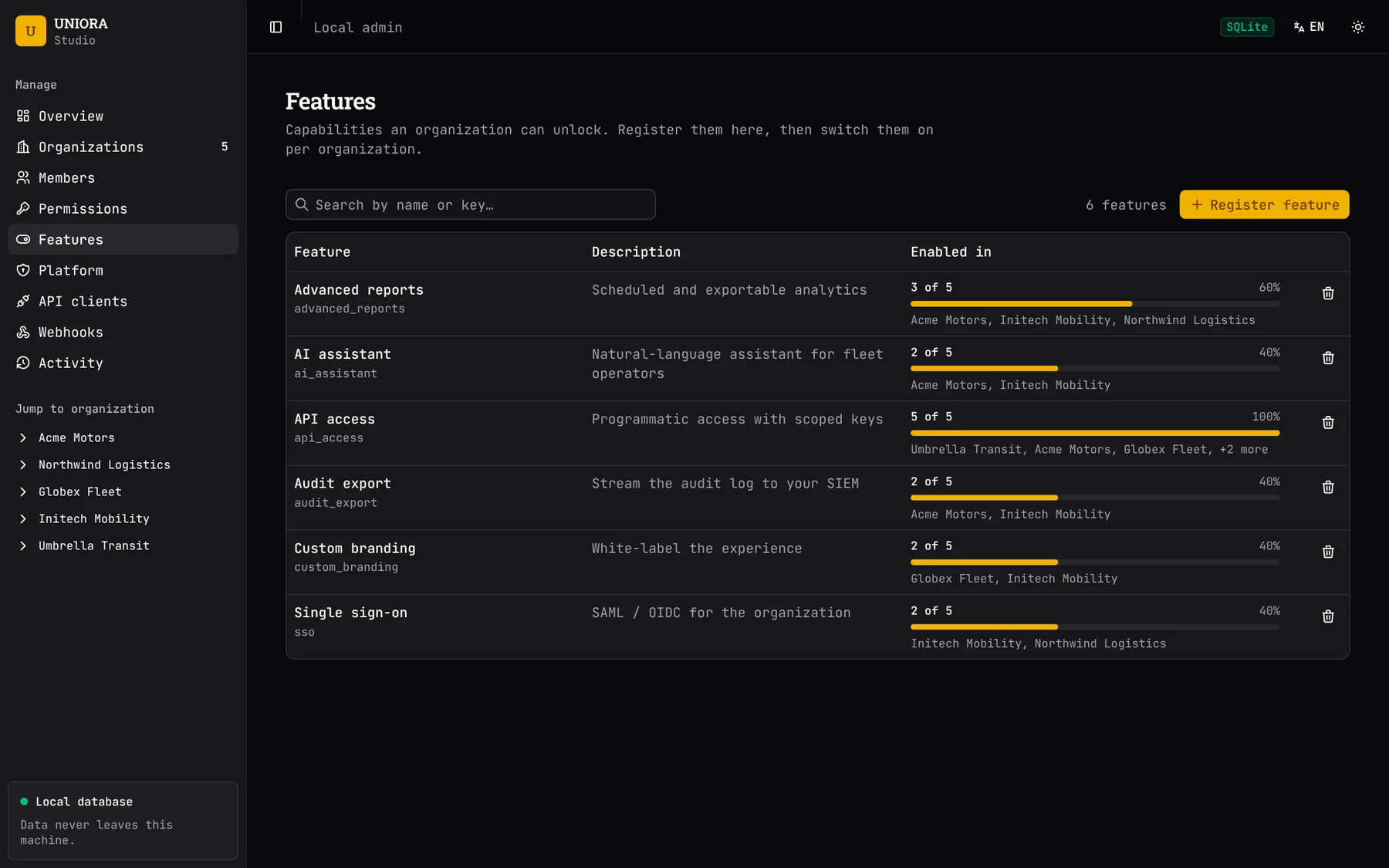
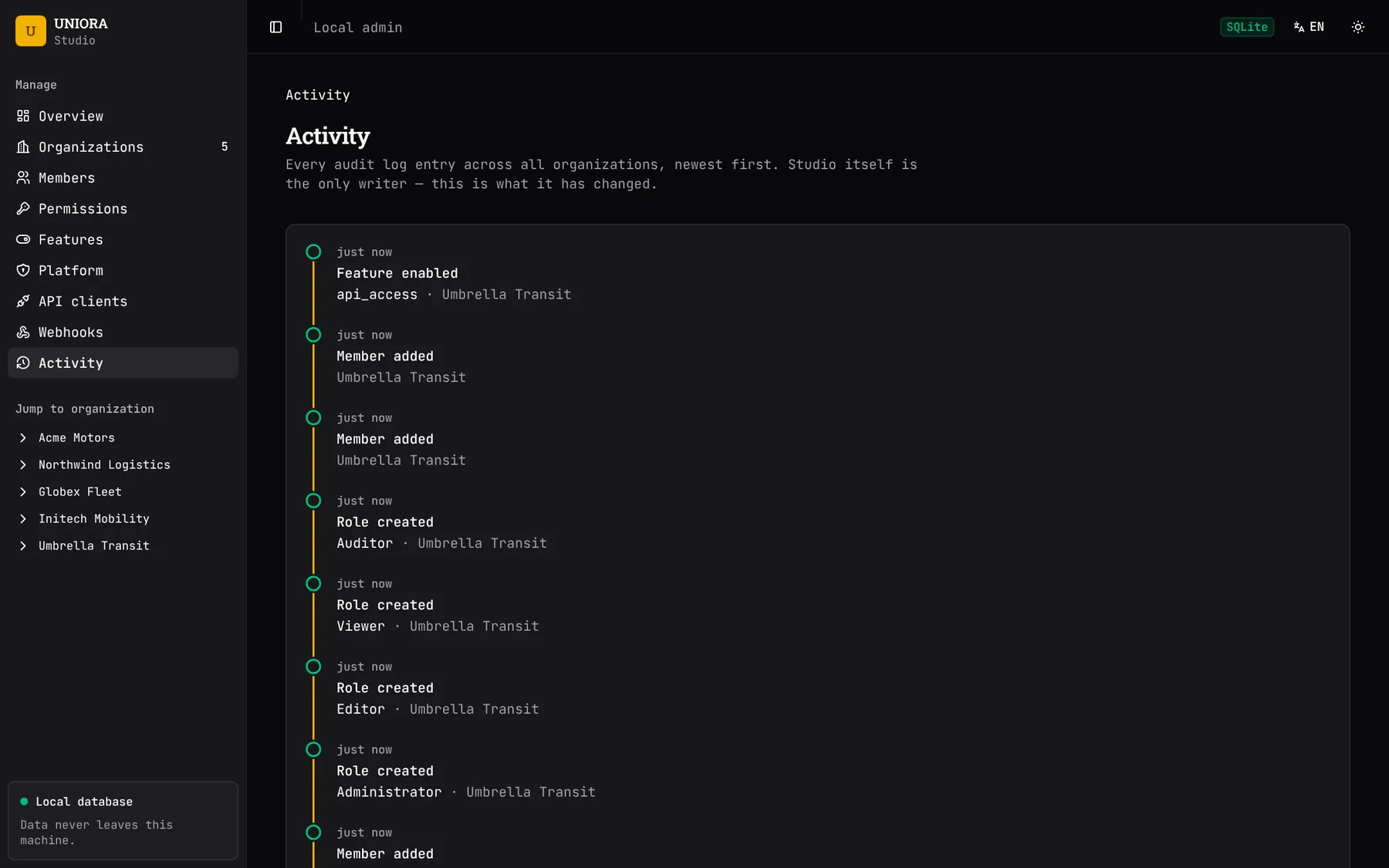
npx uniora studiocopyEach guarantee is enforced in code and covered by tests. Several are enforced by database constraints, not only by application logic.
The engine grants access only when it can justify it. Unknown permission, missing membership, wrong organization or suspended tenant: DENY.
can() → falseEach organization is created with a protected Owner. The last Owner cannot be removed, blocked or demoted. A database constraint enforces this under concurrent requests.
last_owner ✕Append-only and hash-chained. Editing or deleting an entry is detected by verifyIntegrity(). Changes made through Studio, invitations and identity links are recorded in the same transaction.
sha256 ⛓ sha256Permissions define what a user can do. Features define what an organization has unlocked. Quotas count seats and reports atomically. Each is modeled separately.
permission + feature + quota@uniora/core has no dependency on Next.js, Express or any database driver. Storage adapters pass one shared conformance suite.
core ← adaptersReact helpers such as <Can> only shape the UI. The browser never reaches your database; the server computes the decision and authorizes every real operation.
UI hides · server decidesSelect a package to see what it does. Identity adapters only answer who the user is. The AuthorizationEngine makes the decision.
@uniora/corenpm install @uniora/core
Embed it in your backend as a library, or run it as a separate service that your backends call over HTTP. The rules, the data model and the decisions are the same in both.
Auth providers charge extra for organizations, custom roles and permissions. UNIORA provides them in your own database at no license cost. Keep your provider for login and drop the B2B tier.
| Provider | What costs extra | List price | Source |
|---|---|---|---|
| Clerk | Custom roles and unlimited members per organization (Enhanced B2B add-on) | $100/month ($85 billed annually), plus $1 per active organization above 100, with volume tiers | clerk.com/pricing |
| Auth0 | Role management and more than 5 organizations (B2B plans) | Essentials from $150/month at 500 MAU, $2,100 at 10,000 MAU. Professional from $800/month | auth0.com/pricing |
| Kinde | More than 2 roles and 10 permissions (Pro plan) | Pro from $25/month; Free is limited to 2 roles and 10 permissions | kinde.com/pricing |
| Logto | Organizations, organization roles, RBAC and enterprise SSO connectors (separate add-ons on Pro) | Pro from $24/month. Organizations $48/month, RBAC $32/month, SSO $48 per connector per month | logto.io/pricing |
| Descope | More than 10 active tenants (Free plan); Pro includes 35 and Growth includes 100 | Free: 10 tenants. Pro from $249/month. Growth from $799/month. Annual billing | descope.com/pricing |
| Better Auth | Organizations and roles are part of the free open-source framework. The hosted Infrastructure product charges for SSO and Directory Sync connections | Framework free. Infrastructure Pro $20/month; extra SSO or Directory Sync connections $50/month each | better-auth.com/pricing |
| WorkOS · Stytch | Organizations and RBAC are not billed separately. SSO and SCIM connections are billed per connection, and UNIORA does not replace them | WorkOS $125 per connection per month. Stytch: 5 included, then $125 each | workos.com/pricing · stytch.com/pricing |
| UNIORA | Organizations, roles, permissions, features and audit log | $0 license cost. Runs in your database and your infrastructure | LICENSE |
List prices from each provider's public pricing page, checked on 11 October 2026. Prices change: confirm before deciding. UNIORA does not replace authentication or SSO, so you still need a provider for login. Free tiers available: Clerk Hobby (50,000 retained users), Auth0 Free (25,000 MAU), Supabase Auth Free (50,000 MAU). Estimates use monthly list prices and assume graduated volume tiers.
Use, modify and redistribute UNIORA for any purpose, personal, internal or commercial, including paid SaaS, at no cost. Apache-2.0 is an OSI-approved open-source license and includes an express patent grant.
| Term | Status | Detail |
|---|---|---|
| Use | Permitted | Any purpose, with no field-of-use restriction. |
| Commercial use | Permitted | Includes paid SaaS, products built on UNIORA, and selling it. |
| Modification | Permitted | Changes and derivative works, for any purpose. |
| Distribution | Permitted | With the license text, the NOTICE file and a note of the files you changed. |
| Patent license | Included | Every contributor grants it. It ends for whoever sues over a patent in the work. |
| Trademarks | Not permitted | The license does not grant the right to use the UNIORA name or logo as your own. |
This is a summary, not legal advice. The LICENSE file is the only binding text. Keep the license text and the NOTICE file when you redistribute.
Stars, forks, releases and language data are loaded from the GitHub API when you open this page.
Nothing here is promised. This is the list the maintainers choose from.
canAll() for one-round-trip UIsnpm install @uniora/corecopynpx @uniora/cli initcopynpx uniora migratecopynpx uniora studiocopy
Your organization. Under your control.
UNIORA gives you the power to manage access, permissions and organizations in a simple, flexible and secure way.